How to make handwritten notes searchable
· 6 min
Handwriting is good for thinking and bad for finding. A year of notebooks holds every decision, idea and to-do you wrote down, and no way to ask “where did I write about the boiler?” Making handwriting searchable means turning each page into text a computer can index, while keeping the page itself so you can check the original.
There are four realistic ways to do it. They differ in how much work they ask of you and how well they read real handwriting.
1. Your tablet’s built-in recognition
E-ink tablets all ship some handwriting recognition. It is free and already on the device, and it suits a page or two you want as text right now. The limits are similar across makers: you convert notebooks one at a time, the result is a separate copy that goes stale when you add a page, and fast or joined-up writing comes out rough. We have a guide for each device:
2. Your phone’s camera
For paper, a phone can lift text straight out of a photo: Live Text on an iPhone, Google Lens on Android. Both were built for printed text. They are quick for a phone number or a clearly printed list, and they give you a clipboard of text, not a searchable archive.
3. A general note app
Apple Notes, OneNote, Evernote and Google Keep can each search inside images to some degree. If your notes already live in one of them, try a search before changing anything. What you can’t do is see the text they found, correct it, or take it anywhere else, so when a search misses you never learn why.
4. A transcription service
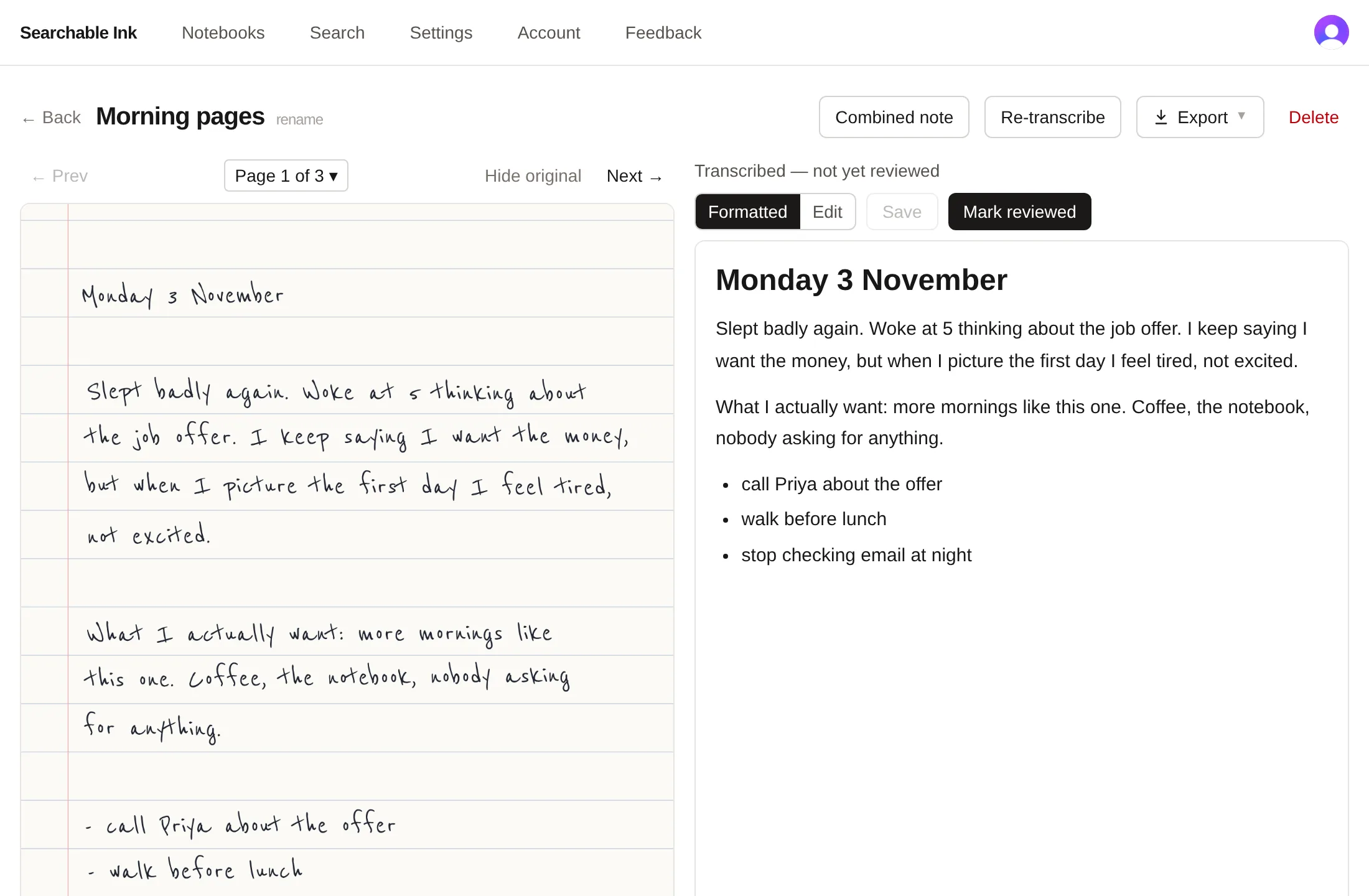
The last option reads every page with a large AI model, keeps the text beside the handwriting, and indexes all of it. This is what Searchable Ink does. Pages arrive by photo, by PDF, or automatically from a tablet through Dropbox, Google Drive or a private sync folder; only new or changed pages are read.
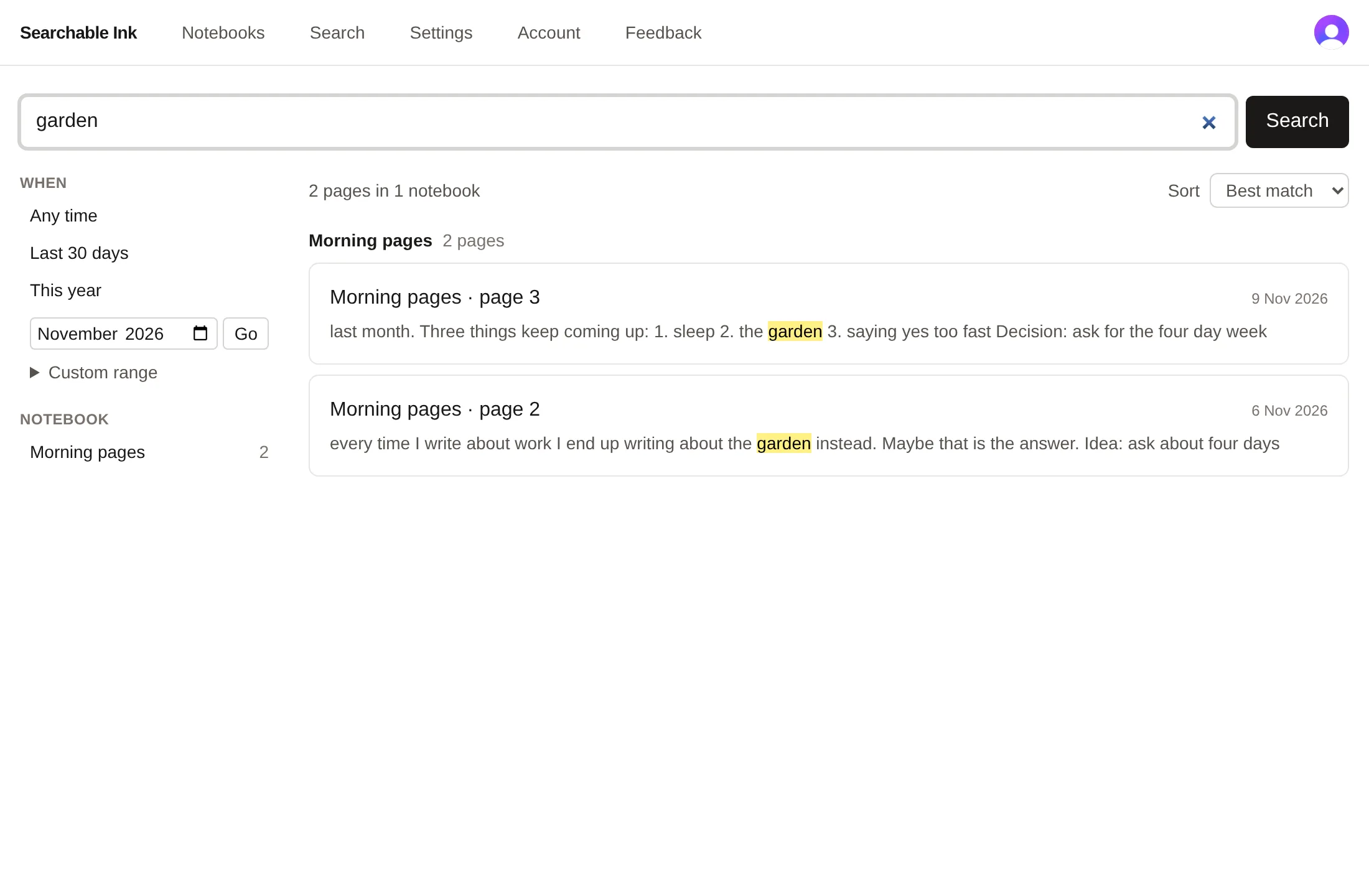
Search then works across every notebook at once, with dates understood (“garden last november”) and results grouped by notebook.
Which to choose
| You want | Use |
|---|---|
| One page as text, now | The tablet’s convert button, or your phone’s camera |
| Occasional lookups in notes you already keep in an app | That app’s own search |
| Every notebook searchable without thinking about it | A transcription service with automatic sync |
| To ask an AI assistant about your notes | A service with a connector |
Whatever you choose
- Keep the original. No recognition is perfect. Text without its page can’t be checked.
- Date your pages. A date at the top of a page costs three seconds and makes “what was I doing in March?” answerable.
- Make sure you can leave. Pick something that exports plain text or Markdown.